
In an unusual case where technology caused relationship turmoil, a young Chinese woman found herself dumped by her boyfriend after her phone unexpectedly connected to a hotel’s WiFi – a place she insisted she had never been to before.
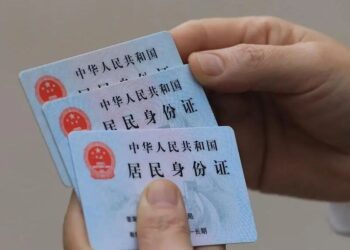
The incident involved a woman named Li, who visited a Chongqing hotel with her boyfriend during the May Day holiday. While checking in, Li discovered she had left her physical ID card at home and attempted to access her digital identity card on her phone. According to Chongqing TV as reported by the South China Morning Post, it was at this moment that her phone automatically connected to the hotel’s WiFi network.
Li’s boyfriend became suspicious upon noticing this connection. How could her phone recognize a network at a hotel they were supposedly visiting together for the first time? When questioned, Li firmly stated she had never been to that hotel previously and had no explanation for the automatic connection. However, her explanation failed to satisfy her boyfriend, leading him to end their relationship.
Distraught over her boyfriend’s reaction, Li was determined to uncover what had actually happened. Through further investigation, she eventually discovered the reason behind the mysterious connection. At some point in the past, Li had worked at another hotel in Chongqing that used WiFi with identical username and password credentials to the one at the hotel they visited.
Immediately, Li contacted her ex-boyfriend to explain the situation, but he had already blocked her. Consequently, she turned to Chongqing TV to publicly clarify the misunderstanding – not to reconcile, but to clear her name.
To verify Li’s story, a Chongqing TV reporter visited both locations. Their phone, which had previously connected at Li’s former workplace, also automatically connected at the hotel, confirming Li’s explanation.
Cybersecurity expert Liu, speaking to Chongqing TV, explained that it’s entirely plausible for smartphones to connect to different networks sharing the same name and password, as devices typically assume these are the same trusted connections.
Liu advised the public to disable the auto-connect feature on their devices to prevent such confusing situations and potential security risks in the future.